Buy 掏.com ?
We are moving the project
掏.com .
Are you interested in purchasing the domain
掏.com ?
domain@kv-gmbh.de · 0541-91531010
Buy 掏.com ?
What is better: HDMI, DisplayPort, or Mini DisplayPort?
The choice between HDMI, DisplayPort, and Mini DisplayPort depends on your specific needs. HDMI is the most common and widely supported option, making it great for connecting to TVs and monitors. DisplayPort offers higher bandwidth and is better suited for high-resolution displays and multiple monitor setups. Mini DisplayPort is a smaller version of DisplayPort and is commonly found on Apple devices. Ultimately, the best option for you will depend on your specific requirements and the devices you are connecting. **
Does a DisplayPort 1.4a fit into a DisplayPort 1.4 DSC?
Yes, a DisplayPort 1.4a is compatible with a DisplayPort 1.4 DSC (Display Stream Compression). DisplayPort 1.4a is an updated version of the DisplayPort 1.4 standard, and it includes support for DSC. DSC is a visually lossless compression technology that allows for higher resolutions, refresh rates, and color depths over a DisplayPort connection. Therefore, a DisplayPort 1.4a can fit into a DisplayPort 1.4 DSC and take advantage of the compression technology for improved display performance. **
Similar search terms for DisplayPort
Top-Angebote
Products related to DisplayPort:
-
CalDigit USB-C Pro Dock - 85W Charging, Thunderbolt 3, UHS II SD Card Slot, USB-C Gen 2, USB-A x3, Dual DisplayPort 1.2, LAN, 3.5mm Audio, 0.7m Cable - Grey, Used - Like NewOverview: The CalDigit USB-C Pro Dock offers a versatile and high-performance docking solution for Thunderbolt and USB-C computers. Featuring 85W charging and a range of connectivity options, including Thunderbolt 3, UHS II SD card slot, Dual DisplayPort 1.2, and USB-C Gen 2, this dock enables seamless connections and fast data transfers. The USB-A ports provide easy access to peripherals, while the LAN port ensures reliable wired network connectivity. With 3.5mm audio support, you can easily connect audio devices for a complete desktop setup. The 0.7-meter cable offers flexible placement, and the sleek grey finish adds a modern touch to your workspace. Key Features: 85W charging to power your laptop while docked Thunderbolt 3 and USB-C compatibility for versatile connections UHS II SD card slot for high-speed data transfer Dual DisplayPort 1.2 for dual-monitor support USB-C Gen 2 and USB-A x3 ports for connecting peripherals LAN port for stable wired network connection 3.5mm audio port for easy audio device connection 0.7-meter cable for flexible dock placement Grey finish for a stylish, modern look Product Description: The CalDigit USB-C Pro Dock is an all-in-one solution designed to enhance your productivity by providing a variety of connectivity options. Offering 85W charging, it powers your device while enabling fast data transfer with Thunderbolt 3 and USB-C compatibility. The dock features a UHS II SD card slot, Dual DisplayPort 1.2 for dual monitor setup, and USB-A and USB-C Gen 2 ports for connecting all your essential peripherals. It also includes a LAN port for stable internet access and a 3.5mm audio port for your audio devices. The 0.7-meter cable ensures flexible placement on your desk, and the sleek grey design fits perfectly into any workspace. CalDigit USB-C Pro Dock – 85W charging, Thunderbolt 3, UHS II SD card slot, Dual DisplayPort 1.2 USB-C Gen 2 and USB-A x3 ports for versatile device connectivity LAN port and 3.5mm audio support for additional functionality 0.7-meter cable for flexible placement and easy setup Ideal for Thunderbolt and USB-C computers, dual display setups, and workspace organization Grey finish for a stylish, modern desktop accessory EAN: 471201008741999,00 £*Shipping: 0,00 £Secure redirect to the provider
-
Tools, Home & Hobby Heavy Duty Metal Shopping Baskets With Handles For Retail Stores And Grocery Shopping Heavy Duty Metal Shopping Baskets With Handles For Retail Stores And Grocery ShoppingMake every shopping trip easier with durable metal shopping baskets built to carry more with confidence. Designed for supermarkets, convenience stores, bookstores, and other retail spaces, this 12piece set provides customers with a practical way to...194,97 $*Shipping: 0,00 $Secure redirect to the provider
-
Lennies Toys Catan Junior Board Game 6-9 yrs - Strategy and Commerce for KidsIntroduce your little ones to the world of strategy and commerce with Catan Junior - Board Game. This game is designed for children aged 6-9 and offers a simplified version of the classic game of Catan. Key features include age-appropriate gameplay, engaging components, and social interaction. The game promotes teamwork and communication as children negotiate trades and collaborate with friends and family. It's a great way to bond and create memories during family game nights.27,99 £*Shipping: 3,95 £Secure redirect to the provider



-
Does a DisplayPort 1.4a fit in a DisplayPort 1.4 DSC?
Yes, a DisplayPort 1.4a is compatible with a DisplayPort 1.4 DSC (Display Stream Compression). DisplayPort 1.4a is an updated version of the DisplayPort 1.4 standard, which includes support for new features and improvements. DisplayPort 1.4 DSC is a feature within the DisplayPort 1.4 standard that enables visually lossless compression for higher resolutions and refresh rates. Therefore, a DisplayPort 1.4a device can utilize the DisplayPort 1.4 DSC feature for enhanced display capabilities. **
-
What is the correct designation for connecting DisplayPort to Mini DisplayPort?
The correct designation for connecting DisplayPort to Mini DisplayPort is simply a DisplayPort to Mini DisplayPort cable or adapter. This allows you to connect a device with a standard DisplayPort output to a device with a Mini DisplayPort input, such as connecting a computer to a monitor or projector. It is important to ensure that the cable or adapter is compatible with the specific versions of DisplayPort and Mini DisplayPort being used. **
-
What is the correct term for connecting DisplayPort to Mini DisplayPort?
The correct term for connecting DisplayPort to Mini DisplayPort is a DisplayPort to Mini DisplayPort cable or adapter. This type of cable or adapter allows you to connect devices with a DisplayPort output to devices with a Mini DisplayPort input, enabling you to transmit audio and video signals between the two devices. It is important to ensure compatibility between the devices and the cable or adapter to ensure proper functionality. **
-
What is a DisplayPort?
A DisplayPort is a digital display interface primarily used to connect a video source to a display device such as a monitor, TV, or projector. It is capable of transmitting high-definition video and audio signals, supporting resolutions up to 8K. DisplayPort cables are commonly used in computers, laptops, and other electronic devices to provide a high-quality visual experience. **


Can a DisplayPort 1.2 cable be used in a DisplayPort 1.4 port?
Yes, a DisplayPort 1.2 cable can be used in a DisplayPort 1.4 port. DisplayPort cables are designed to be backward compatible, meaning that newer versions of the port can support older versions of the cable. However, using a DisplayPort 1.2 cable in a DisplayPort 1.4 port may limit the capabilities to those of the older version. To fully utilize the features of a DisplayPort 1.4 port, it is recommended to use a DisplayPort 1.4 cable. **
Does a DisplayPort 1.2 monitor work with a DisplayPort 1.4 graphics card?
Yes, a DisplayPort 1.2 monitor will work with a DisplayPort 1.4 graphics card. DisplayPort is designed to be backwards compatible, so a newer version of the graphics card will still be able to communicate with an older version of the monitor. However, the capabilities of the monitor will be limited to those of the older version, so features specific to DisplayPort 1.4 may not be fully utilized. **
Top-Angebote
Products related to DisplayPort:
-
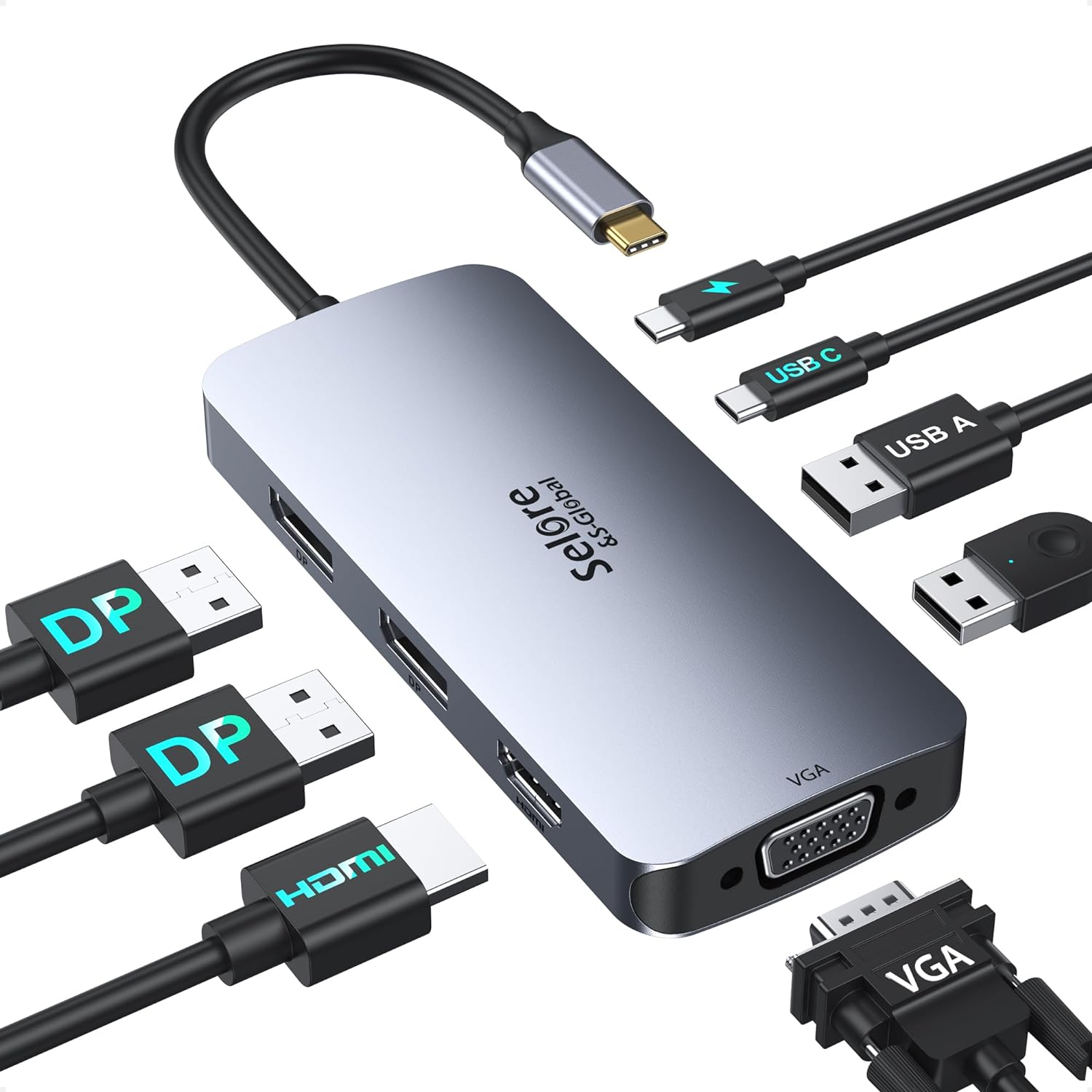
Selore USB C Docking Station Dual Displayport Monitor, USB C Hub Displayport with 2 DP, HDMI, VGA, PD Charging, USB A&C; 2.0 Ports Multi Monitors Adapter for Dell/HP/Lenovo, etc, Used - GoodBrand Selore&S-Global; Colour Dual DP+HDMI+VGA Hardware interface DisplayPort Special feature Fast Data Transfer Compatible devices MacBook Pro 1111, iPad Pro, Microsoft Surface Book 【Enhanced Display Connectivity】Embrace versatile display options with 2 DisplayPort, 1 HDMI, and 1 VGA port on the Selore Docking Station. This USB C docking station dual monitor caters to different display types, making it easy to connect to various monitors and adapt to your needs. (❤️Note: On macOS systems, external monitors will show the same content in mirror or extended mode.) 【Rapid and Robust Charging】Experience fast and powerful charging with the 100W USB-C PD charging port on this USB C docking station 3 monitors. This pass-through charging ensures your laptop stays fully charged and ready to tackle any task. 【Smooth Data Transfers】 Experience swift data transfers with the USB-C 2.0 and dual USB-A 2.0 ports on this usb c hub dual displayport. Transfer files, access external storage, and connect peripherals effortlessly, streamlining your workflow with ease. 【Wide Compatibility】Before purchasing the laptop docking station dual monitor, ensure your laptop has Thunderbolt or full-function USB-C ports. If you're uncertain about compatibility, share your laptop model with us, and we'll verify it for you. ❤️Please note that macOS does not currently support MST mode. Unlock the full potential of your Windows experience with this multi monitor dual DisplayPort adapter.29,99 £*Shipping: 0,00 £Secure redirect to the provider
-
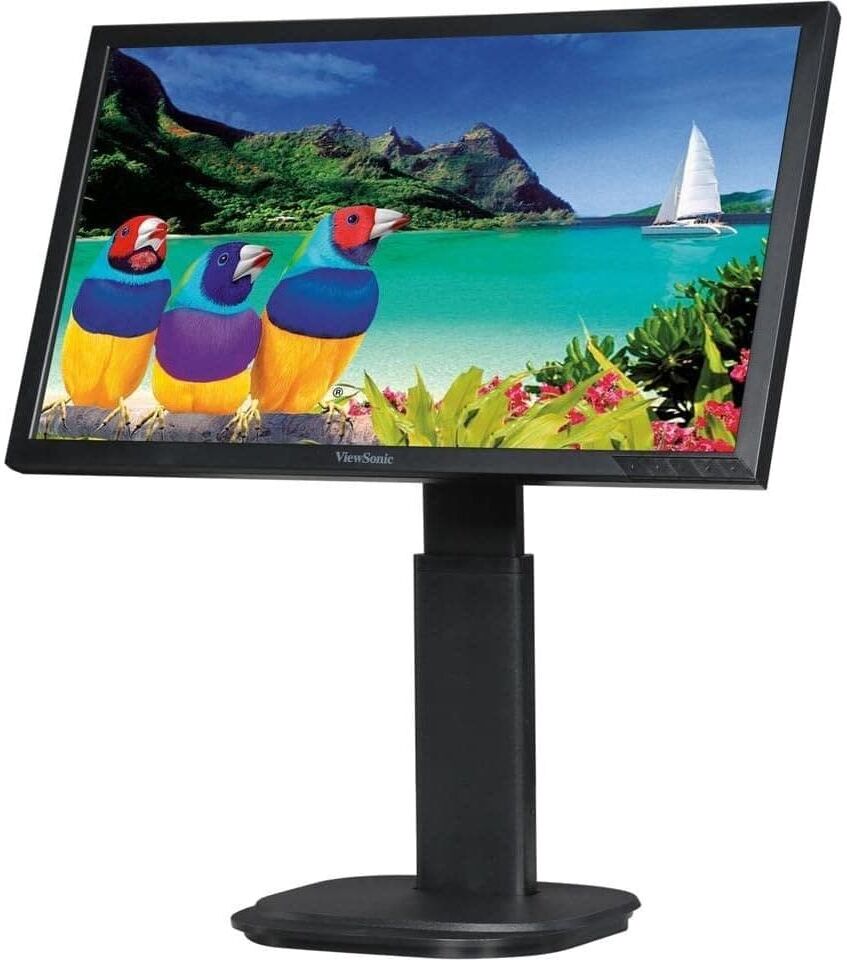
ViewSonic VG2239SMH 24-inch Full HD Ergonomic Monitor with HDMI, VGA, DisplayPort, Eye Care for Work and Study at Home, Black, NewBrand ViewSonic Product Dimensions 58.17 x 48.26 x 18.03 cm; 4.8 Kilograms Item model number VG2239SMH Manufacturer ViewSonic Series VG2239SMH Colour Black Standing screen display size 22 Inches Screen Resolution 1920x1080 Resolution 1920 x 1080 Processor Count 1 Number of HDMI Ports 1 Number of VGA Ports 1 Voltage 240 Volts Wattage 20.5 watts Are Batteries Included No Lithium Battery Weight 14 Kilograms Item Weight 4.8 kg189,99 £*Shipping: 0,00 £Secure redirect to the provider
-
CalDigit USB-C Pro Dock - 85W Charging, Thunderbolt 3, UHS II SD Card Slot, USB-C Gen 2, USB-A x3, Dual DisplayPort 1.2, LAN, 3.5mm Audio, 0.7m Cable - Grey, Used - Like NewOverview: The CalDigit USB-C Pro Dock offers a versatile and high-performance docking solution for Thunderbolt and USB-C computers. Featuring 85W charging and a range of connectivity options, including Thunderbolt 3, UHS II SD card slot, Dual DisplayPort 1.2, and USB-C Gen 2, this dock enables seamless connections and fast data transfers. The USB-A ports provide easy access to peripherals, while the LAN port ensures reliable wired network connectivity. With 3.5mm audio support, you can easily connect audio devices for a complete desktop setup. The 0.7-meter cable offers flexible placement, and the sleek grey finish adds a modern touch to your workspace. Key Features: 85W charging to power your laptop while docked Thunderbolt 3 and USB-C compatibility for versatile connections UHS II SD card slot for high-speed data transfer Dual DisplayPort 1.2 for dual-monitor support USB-C Gen 2 and USB-A x3 ports for connecting peripherals LAN port for stable wired network connection 3.5mm audio port for easy audio device connection 0.7-meter cable for flexible dock placement Grey finish for a stylish, modern look Product Description: The CalDigit USB-C Pro Dock is an all-in-one solution designed to enhance your productivity by providing a variety of connectivity options. Offering 85W charging, it powers your device while enabling fast data transfer with Thunderbolt 3 and USB-C compatibility. The dock features a UHS II SD card slot, Dual DisplayPort 1.2 for dual monitor setup, and USB-A and USB-C Gen 2 ports for connecting all your essential peripherals. It also includes a LAN port for stable internet access and a 3.5mm audio port for your audio devices. The 0.7-meter cable ensures flexible placement on your desk, and the sleek grey design fits perfectly into any workspace. CalDigit USB-C Pro Dock – 85W charging, Thunderbolt 3, UHS II SD card slot, Dual DisplayPort 1.2 USB-C Gen 2 and USB-A x3 ports for versatile device connectivity LAN port and 3.5mm audio support for additional functionality 0.7-meter cable for flexible placement and easy setup Ideal for Thunderbolt and USB-C computers, dual display setups, and workspace organization Grey finish for a stylish, modern desktop accessory EAN: 471201008741999,00 £*Shipping: 0,00 £Secure redirect to the provider
-
What is better: HDMI, DisplayPort, or Mini DisplayPort?
The choice between HDMI, DisplayPort, and Mini DisplayPort depends on your specific needs. HDMI is the most common and widely supported option, making it great for connecting to TVs and monitors. DisplayPort offers higher bandwidth and is better suited for high-resolution displays and multiple monitor setups. Mini DisplayPort is a smaller version of DisplayPort and is commonly found on Apple devices. Ultimately, the best option for you will depend on your specific requirements and the devices you are connecting. **
-
Does a DisplayPort 1.4a fit into a DisplayPort 1.4 DSC?
Yes, a DisplayPort 1.4a is compatible with a DisplayPort 1.4 DSC (Display Stream Compression). DisplayPort 1.4a is an updated version of the DisplayPort 1.4 standard, and it includes support for DSC. DSC is a visually lossless compression technology that allows for higher resolutions, refresh rates, and color depths over a DisplayPort connection. Therefore, a DisplayPort 1.4a can fit into a DisplayPort 1.4 DSC and take advantage of the compression technology for improved display performance. **
-
Does a DisplayPort 1.4a fit in a DisplayPort 1.4 DSC?
Yes, a DisplayPort 1.4a is compatible with a DisplayPort 1.4 DSC (Display Stream Compression). DisplayPort 1.4a is an updated version of the DisplayPort 1.4 standard, which includes support for new features and improvements. DisplayPort 1.4 DSC is a feature within the DisplayPort 1.4 standard that enables visually lossless compression for higher resolutions and refresh rates. Therefore, a DisplayPort 1.4a device can utilize the DisplayPort 1.4 DSC feature for enhanced display capabilities. **
-
What is the correct designation for connecting DisplayPort to Mini DisplayPort?
The correct designation for connecting DisplayPort to Mini DisplayPort is simply a DisplayPort to Mini DisplayPort cable or adapter. This allows you to connect a device with a standard DisplayPort output to a device with a Mini DisplayPort input, such as connecting a computer to a monitor or projector. It is important to ensure that the cable or adapter is compatible with the specific versions of DisplayPort and Mini DisplayPort being used. **
Similar search terms for DisplayPort
-
Tools, Home & Hobby Heavy Duty Metal Shopping Baskets With Handles For Retail Stores And Grocery Shopping Heavy Duty Metal Shopping Baskets With Handles For Retail Stores And Grocery ShoppingMake every shopping trip easier with durable metal shopping baskets built to carry more with confidence. Designed for supermarkets, convenience stores, bookstores, and other retail spaces, this 12piece set provides customers with a practical way to...194,97 $*Shipping: 0,00 $Secure redirect to the provider
-
Lennies Toys Catan Junior Board Game 6-9 yrs - Strategy and Commerce for KidsIntroduce your little ones to the world of strategy and commerce with Catan Junior - Board Game. This game is designed for children aged 6-9 and offers a simplified version of the classic game of Catan. Key features include age-appropriate gameplay, engaging components, and social interaction. The game promotes teamwork and communication as children negotiate trades and collaborate with friends and family. It's a great way to bond and create memories during family game nights.27,99 £*Shipping: 3,95 £Secure redirect to the provider
-
Tools, Home & Hobby 39L Rolling Shopping Basket Set With Wheels And Handles For Grocery Stores And Retail Shops 39L Rolling Shopping Basket Set With Wheels And Handles For Grocery Stores And Retail ShopsMake every shopping trip easier with a spacious rolling shopping basket designed to move heavy purchases with less effort. This 6piece shopping basket with wheels set offers 39L capacity per basket for groceries, retail goods, books, toiletries, and...199,97 $*Shipping: 0,00 $Secure redirect to the provider
-
What is the correct term for connecting DisplayPort to Mini DisplayPort?
The correct term for connecting DisplayPort to Mini DisplayPort is a DisplayPort to Mini DisplayPort cable or adapter. This type of cable or adapter allows you to connect devices with a DisplayPort output to devices with a Mini DisplayPort input, enabling you to transmit audio and video signals between the two devices. It is important to ensure compatibility between the devices and the cable or adapter to ensure proper functionality. **
-
What is a DisplayPort?
A DisplayPort is a digital display interface primarily used to connect a video source to a display device such as a monitor, TV, or projector. It is capable of transmitting high-definition video and audio signals, supporting resolutions up to 8K. DisplayPort cables are commonly used in computers, laptops, and other electronic devices to provide a high-quality visual experience. **
-
Can a DisplayPort 1.2 cable be used in a DisplayPort 1.4 port?
Yes, a DisplayPort 1.2 cable can be used in a DisplayPort 1.4 port. DisplayPort cables are designed to be backward compatible, meaning that newer versions of the port can support older versions of the cable. However, using a DisplayPort 1.2 cable in a DisplayPort 1.4 port may limit the capabilities to those of the older version. To fully utilize the features of a DisplayPort 1.4 port, it is recommended to use a DisplayPort 1.4 cable. **
-
Does a DisplayPort 1.2 monitor work with a DisplayPort 1.4 graphics card?
Yes, a DisplayPort 1.2 monitor will work with a DisplayPort 1.4 graphics card. DisplayPort is designed to be backwards compatible, so a newer version of the graphics card will still be able to communicate with an older version of the monitor. However, the capabilities of the monitor will be limited to those of the older version, so features specific to DisplayPort 1.4 may not be fully utilized. **
* All prices are inclusive of VAT and, if applicable, plus shipping costs. The offer information is based on the details provided by the respective shop and is updated through automated processes. Real-time updates do not occur, so deviations can occur in individual cases. ** Note: Parts of this content were created by AI.